Your data workflow,
finally organized.
Zentro is a project-centric SQL workspace. Every project keeps its own connections, scripts, history, and tabs — so you stay focused on one thing at a time.
How Zentro works
Three steps. Then you're querying in the right place, every time.
Open your project
Create a project for each service, client, or codebase. Everything — connections, scripts, history, tabs — lives inside that project.
Pick your environment
Each project has its own Dev, UAT, and Prod environments bound to the right database. Select one and Zentro connects automatically.
Query with full context
Your editor, your history, your saved scripts — all scoped to this project and environment. No switching tabs between unrelated databases.
See Zentro in Action
Get a glimpse behind the scenes. Explore Zentro's beautifully designed, highly functional environment crafted for developers.
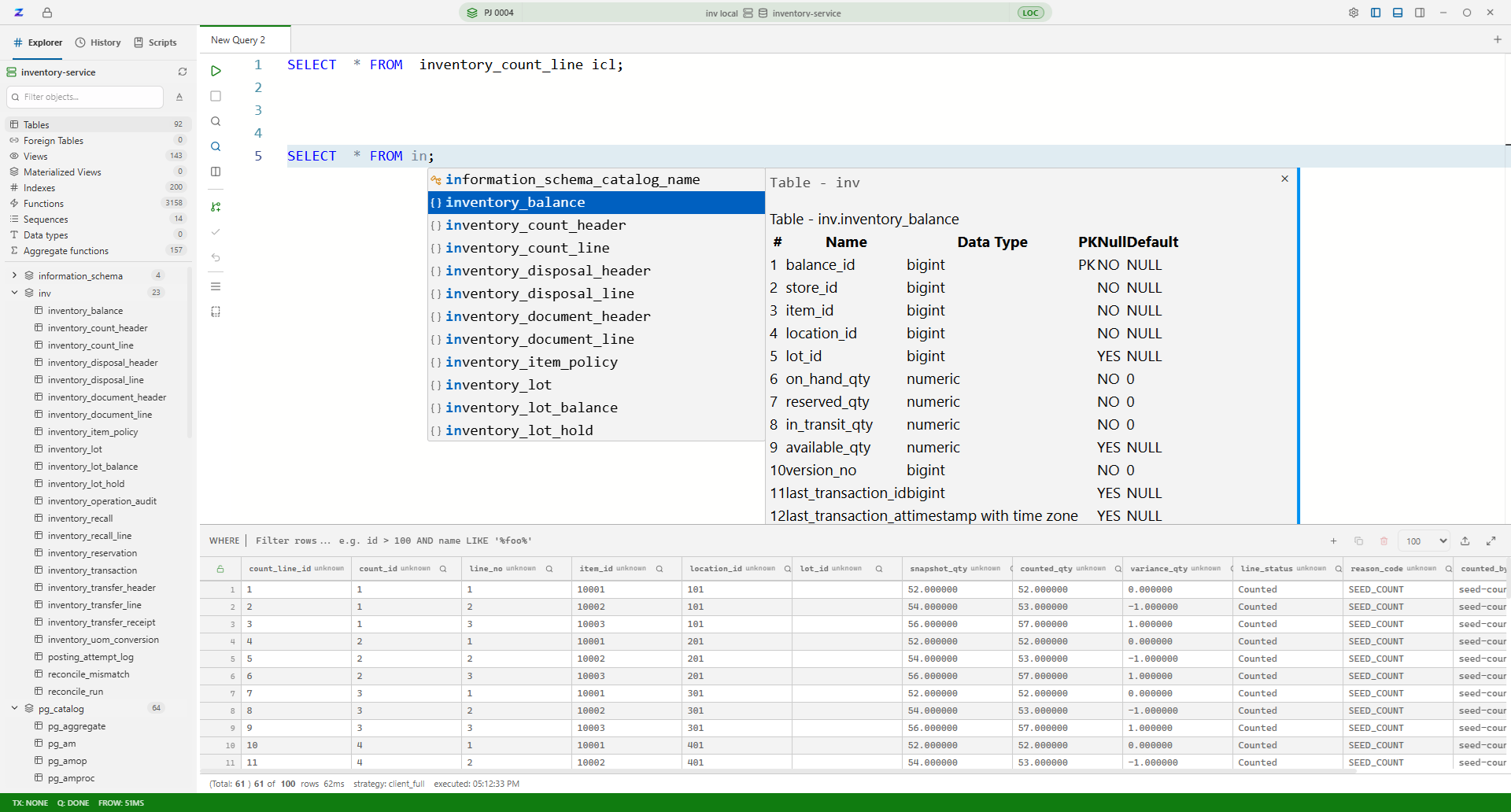
Intelligent SQL Auto-Complete
Write queries faster with context-aware code suggestions
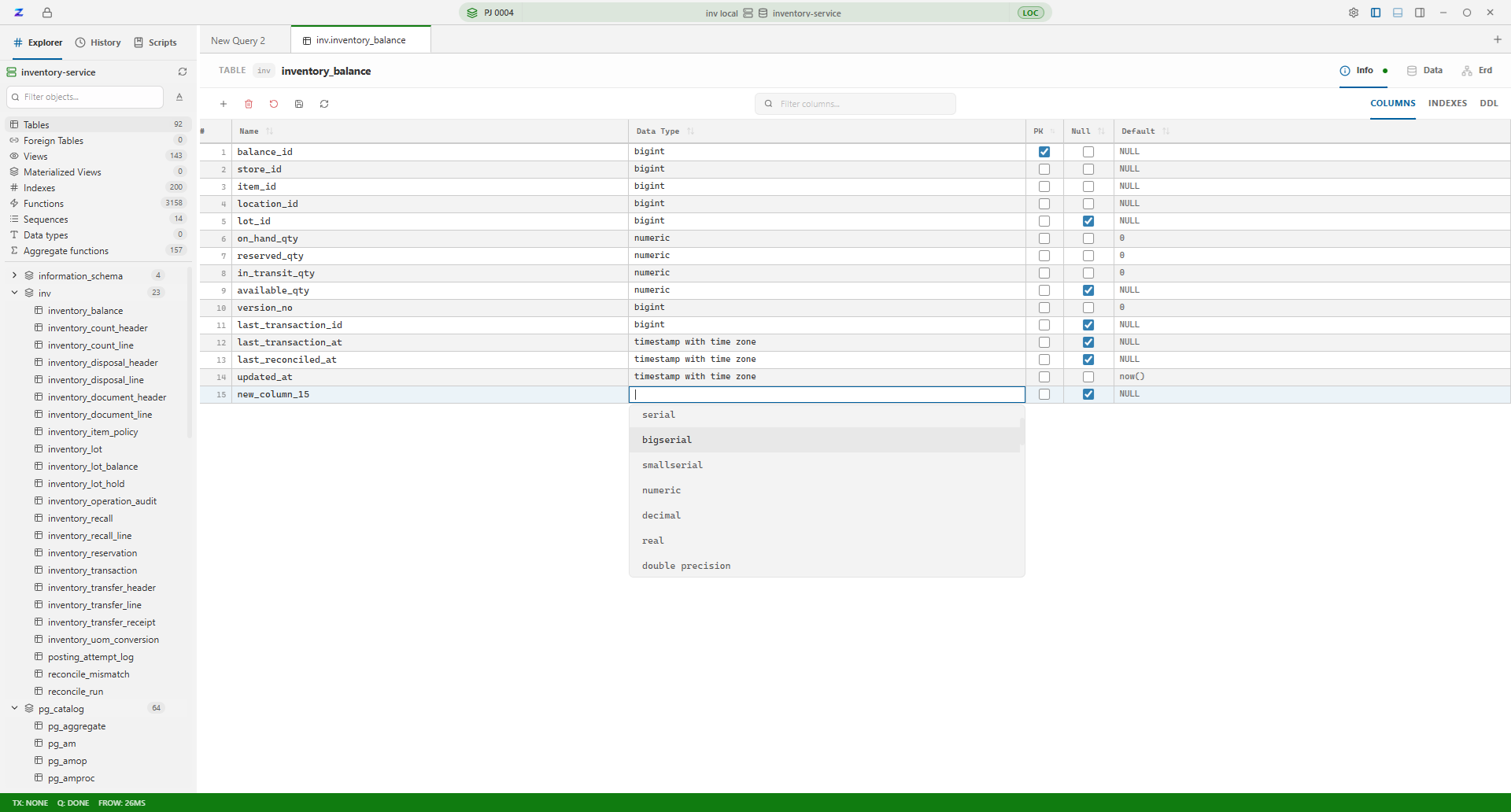
Smart Type Inference
Automatically suggests the best data types for your columns
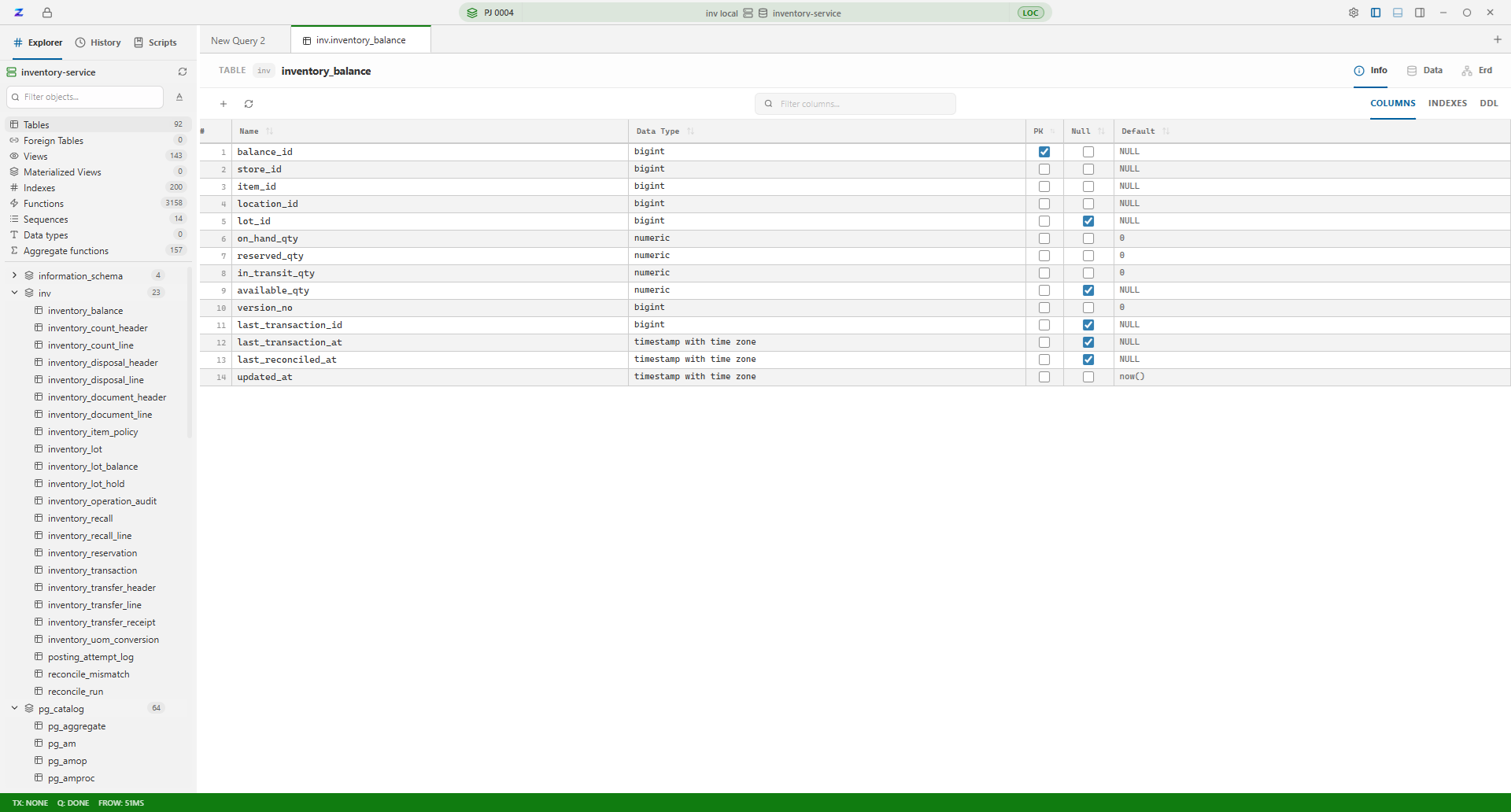
Schema Manager
Intuitive UI for creating and modifying table structures
A developer's dream.
Every feature is meticulously designed for performance, flexibility, and a beautiful developer experience.
SQL Auto-Complete
Write queries faster with context-aware, intelligent suggestions.
Smart Inference
Automatically suggests the best data types for your columns.
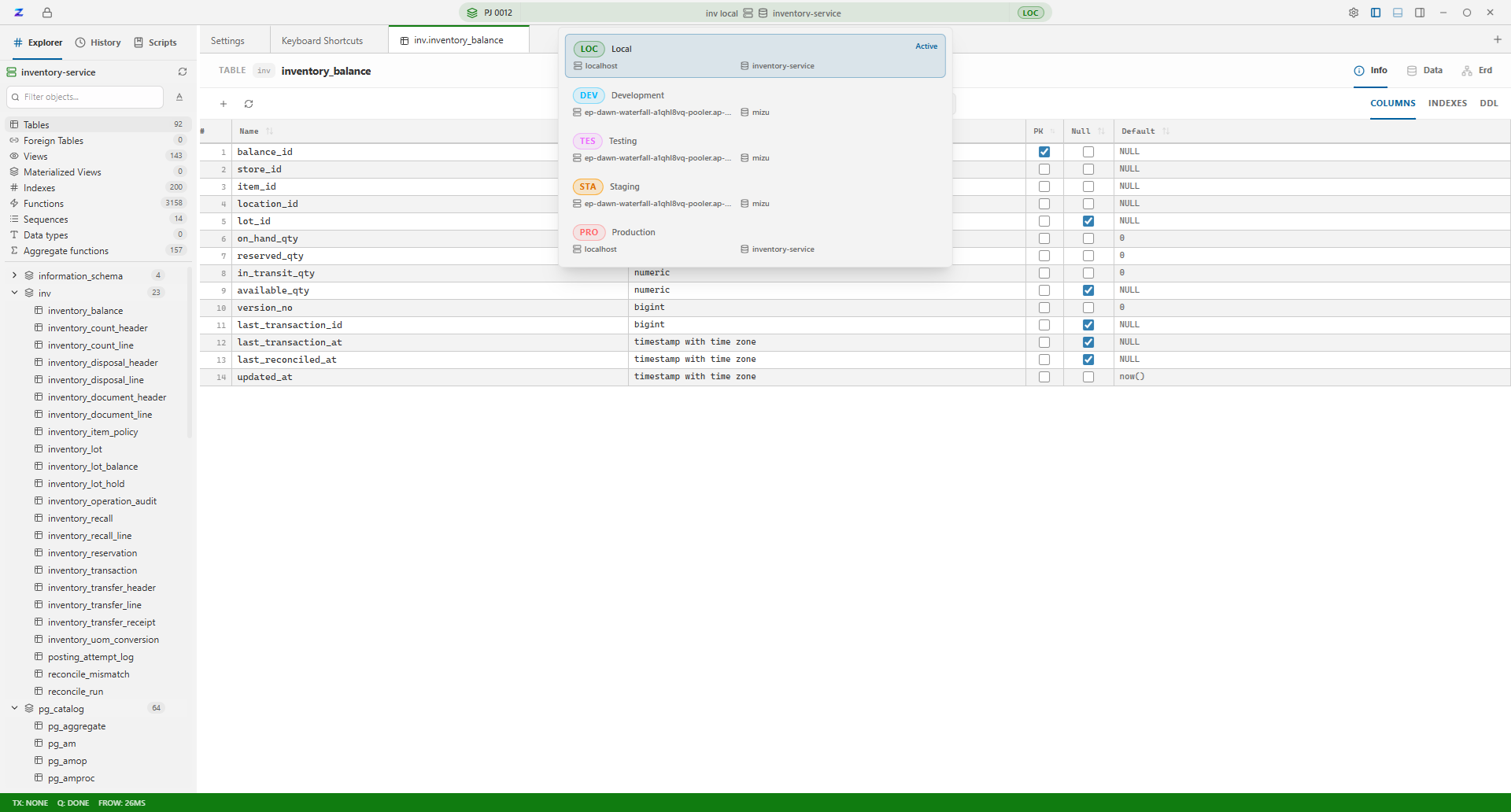
Multi-Environment
Jump seamlessly between Dev, UAT, and Prod setups.
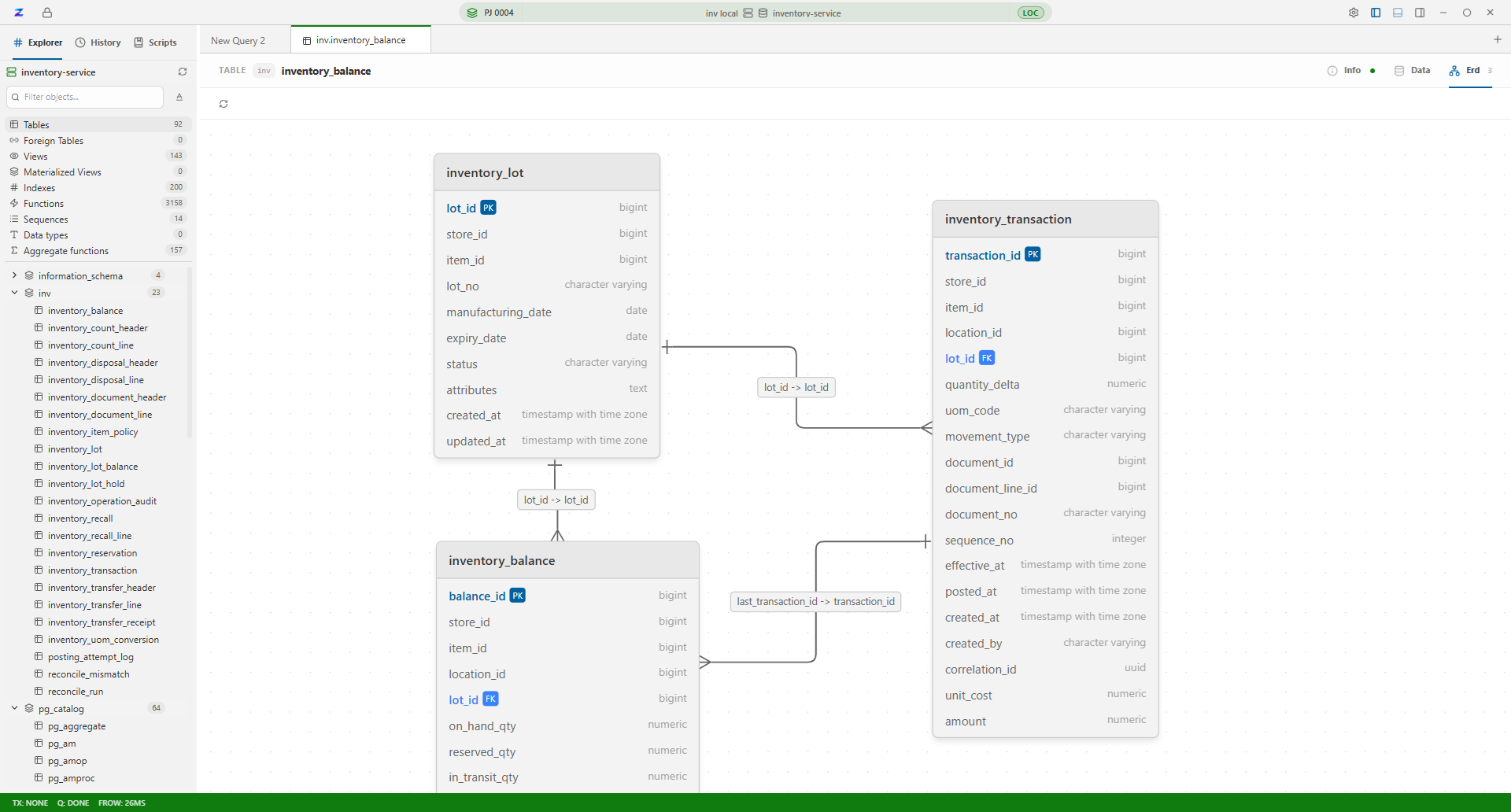
ERD Visualization
Instantly build, track, and explore complex entity relationships.
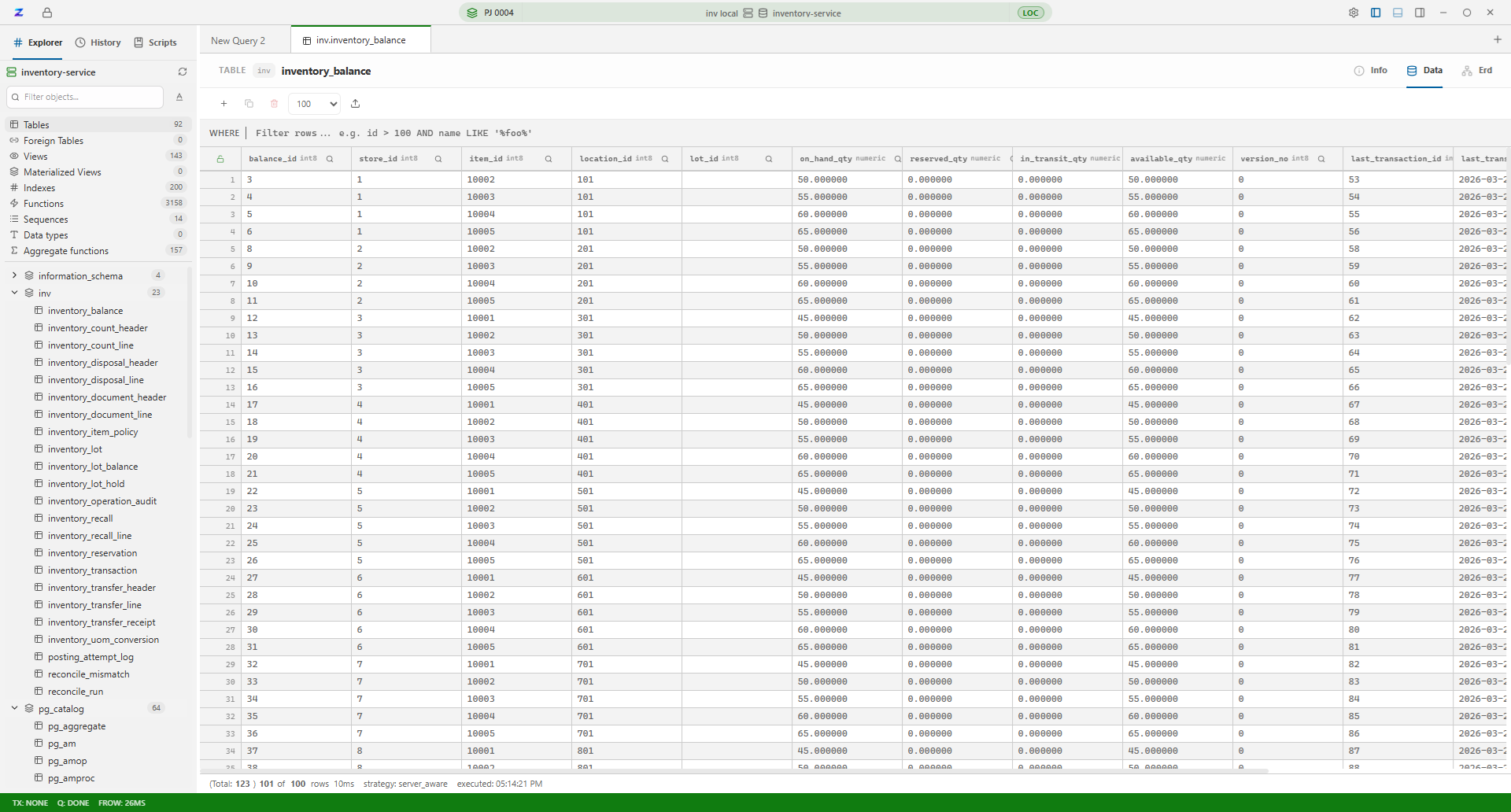
Advanced Data Grid
View, filter, and edit millions of rows without breaking a sweat.
Schema Manager
Intuitive UI for creating and modifying table structures safely.
Built for the way you actually work
Not just features — a workflow built around your projects and environments.
Project-isolated workspaces
Each project keeps its own connections, scripts, history, and editor tabs. Switch projects and your entire workspace switches with you.
Environment-aware connections
Bind Dev, UAT, and Prod environments to each project at the database level. Open the project, pick the env — Zentro connects automatically.
Every database you use
Connect PostgreSQL, MySQL, MSSQL & SQLite — switch databases without closing anything.
Write in tabs, cancel anytime
Multi-tab editor with async execution. Kill a runaway query in one click. Never lose work again.
See your schema in seconds
Click to explore tables, columns, views and relationships. No commands needed.
Understand your data model
Interactive ERD diagrams. Understand table relationships visually — less guesswork, faster queries.
Edit tables without boilerplate
Add, rename or drop columns straight from the UI. Skip the ALTER TABLE syntax entirely.
Export 100K rows in one click
Export to CSV instantly — even with large datasets. No row limit headaches.
Saved queries, always ready
Store your most-used scripts and templates. Scoped to each project, always in context.
Passwords that stay private
Credentials live in your OS keychain — Windows, macOS, Linux. Never in a config file.
Every query auto-saved
Find and re-run anything you wrote last week. Full history with timing and error context, per project.
Schema-aware auto-complete
Type less, ship more. Completions based on your live schema — real suggestions, not generic.
Works on every OS
Same experience on Windows, macOS and Linux. Install once, run anywhere.
One tool. Every database you use.
Stop paying for separate tools for each engine. Zentro connects them all — in one window, with one workflow.

Not just a SQL client — a SQL workspace
DBeaver, TablePlus, DataGrip are great query tools. But they treat every connection as equal. Zentro organizes your work the way you actually think — by project, by environment, by team.
One project, one world
Every project has its own connections, scripts, history, and editor tabs — completely isolated. Open a different project and everything switches. No cross-contamination, no context loss.
Dev, UAT, Prod — one click away
Environments are bound at the database level inside each project. Open Zentro, pick your project, pick your env — it connects automatically. No manual reconfiguring, ever.
Built for teams
Share projects, manage access, and collaborate with your team. Git integration coming soon — so your SQL workflows live alongside your code.
“I manage 4 microservices across dev, staging and prod. With other tools I was constantly afraid of running something on the wrong database. Zentro's project + env model fixed that completely.”
Minh T.
Lead Backend Engineer
60fps
Grid scrolling
< 2s
Env switch time
1M+
Rows handled
Get Zentro free — takes 2 minutes
No account. No license key. Just download and start querying.
macOS
Apple Silicon & Intel
Linux
Ubuntu, Debian, Fedora
Join the community
Developers are already using Zentro daily. Share your feedback, request features, and help shape the roadmap on GitHub and Discord.
Prefer to build from source?
View on GitHubOur sponsors
Zentro is free because these companies and individuals believe in better developer tooling.
Your logo could be here.
Love Zentro? Help it grow.
Zentro is free because of the community. Here's how you can keep it that way.
Star on GitHub
Takes 2 seconds. Means everything to us.
Buy us a coffee
Fuel the next feature. Every coffee counts.
Get in touch
Partner, collaborate, or just say hi.
Want to contribute code? Check out our GitHub — all skill levels welcome.
Featured On
Zentro is gaining traction across the developer community.